LED status reference guide for Gecko waterlab
Last updated 4 months ago

Overview
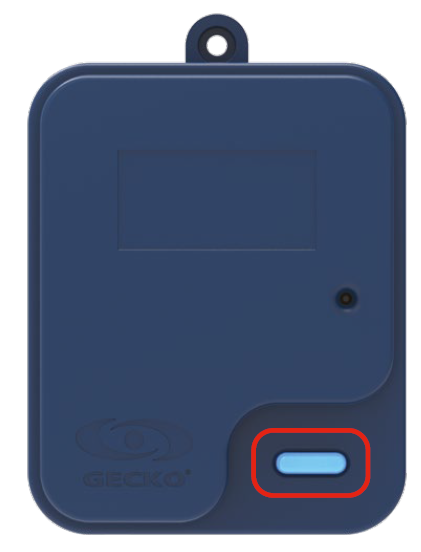
The Gecko Waterlab probe connects to the in.touch 3+ CO (Spa) module and monitors your spa’s water quality in real time. The CO module includes a Water Acquisition button with a visible LED indicator. This LED shows the current status of the Waterlab probe and helps you identify when it’s working properly or needs attention.
LED Button meanings
LED Color / Pattern | What It Means | What To Do |
Blinking Blue | Normal operating state. Both the CO (Spa) and EN (Home) modules are connected, and the Waterlab probe is communicating correctly. | No action needed — your Waterlab is working normally. |
Solid Red (in development) | No probe is connected to the CO module, so no water chemistry data can be acquired. | Check that the Waterlab probe is physically connected to the CO module and properly seated. If disconnected, reconnect it and verify the LED returns to blue. |
Solid Yellow (in development) | The probe is physically connected but has not yet been identified or associated. This is normal during initial setup. | Complete the Waterlab setup in the Gecko App. The app will guide you through identifying and calibrating the probe. |
Solid Purple (in development) | A firmware issue occurred during an update, disrupting communication between the probe and the CO module. | Press and hold the LED button for 5 seconds to start recovery. The LED should begin blinking purple (about 2 blinks per second) while reverting to the previous firmware. This process may take a few minutes. |
Additional notes
If both the CO and EN modules display solid blue LEDs, your Waterlab is connected and functioning correctly.
Keep the Waterlab probe installed and submerged at all times for continuous monitoring.