How to tell the difference between an in.touch 2 EN and an in.touch 3 EN
Last updated 4 months ago
Overview
At first glance, the in.touch 2 and in.touch 3 EN (Home) modules look almost identical.
However, there are a few key differences on the product label that will help you identify which version you have and determine whether it’s compatible with the Gecko App.
Label differences
Feature | in.touch 2 Home (EN module) | in.touch 3 Home (EN module) |
Label | 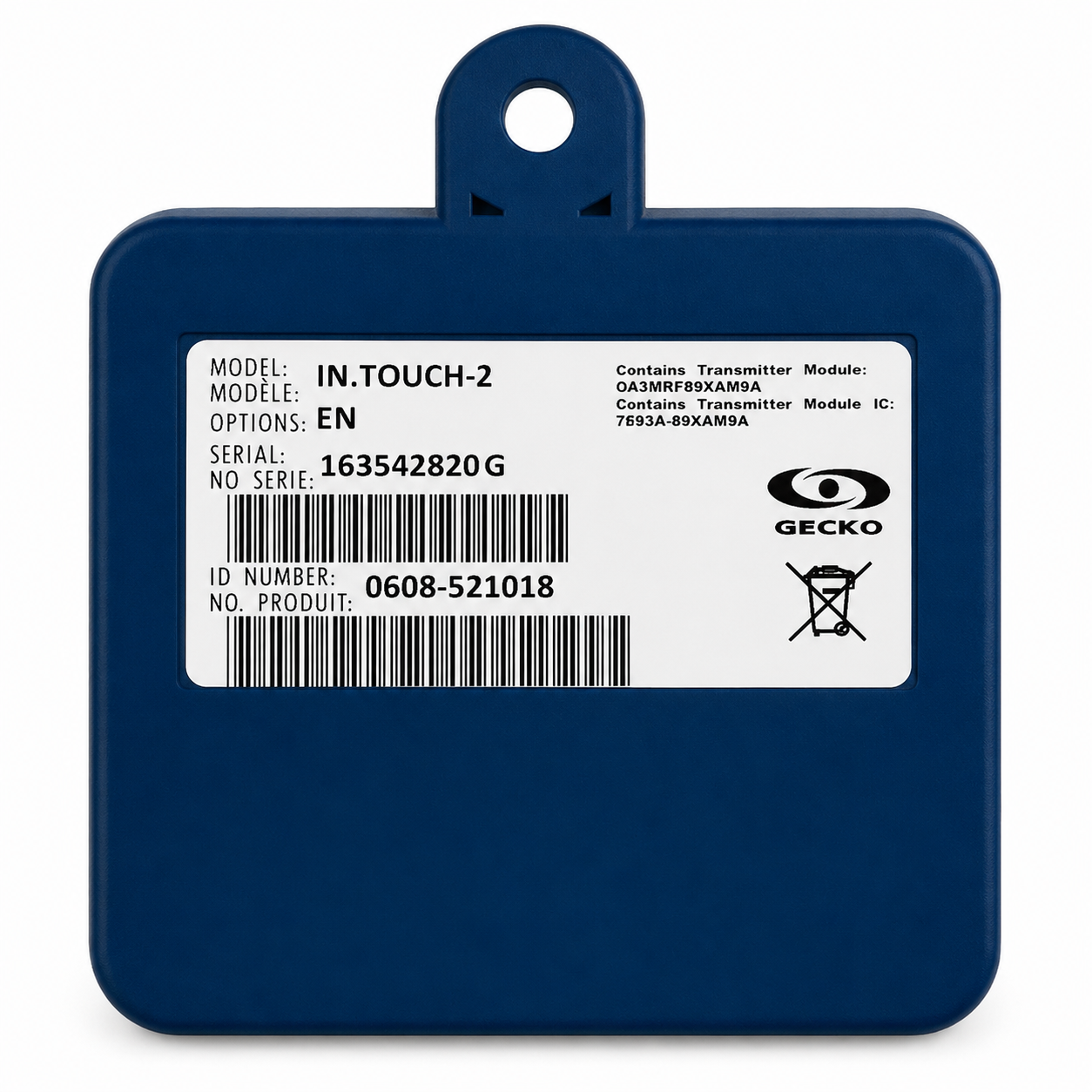 | 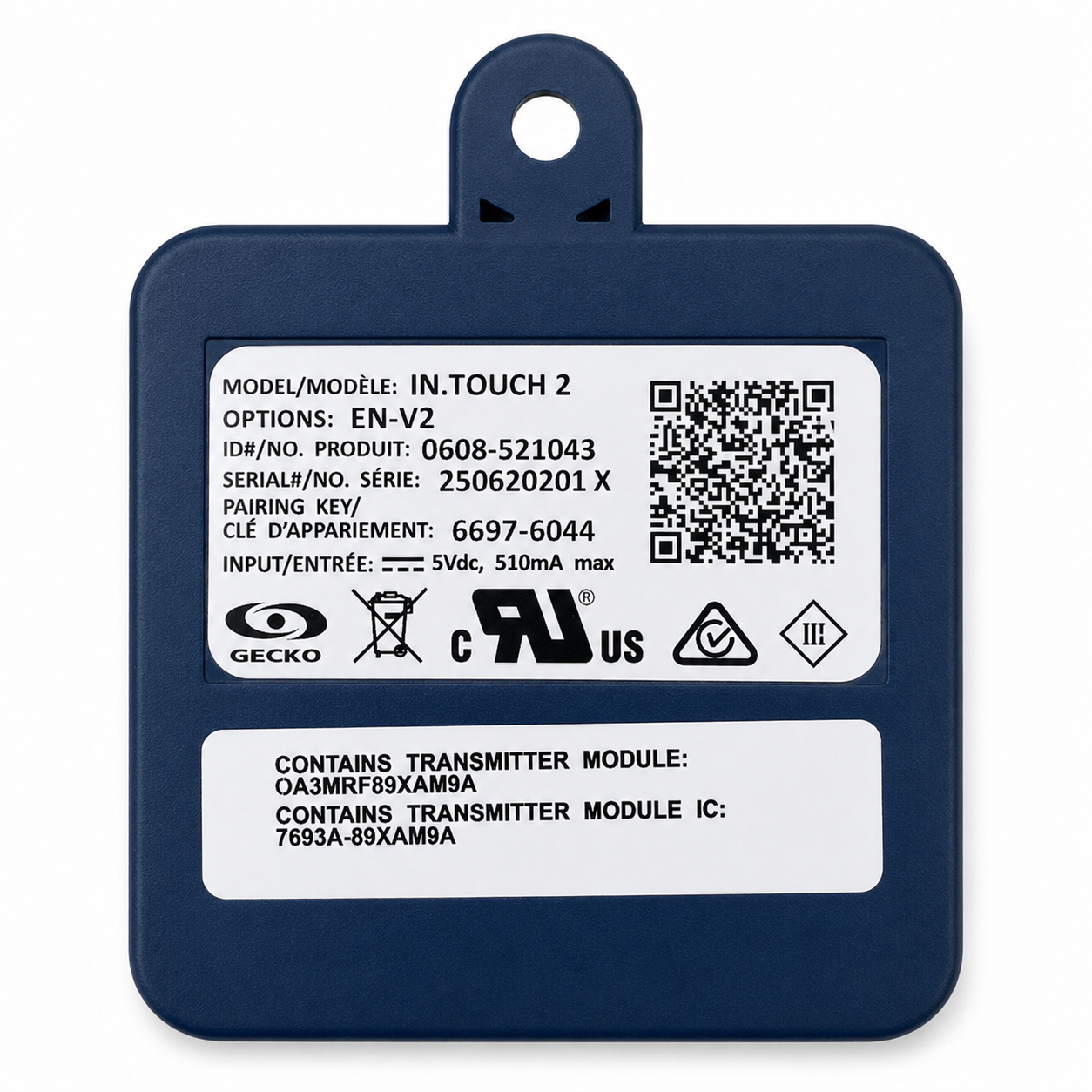 |
QR code | ❌ No QR code | ✅ Includes a QR code |
Model name | Printed as in.touch 2 | Still printed as in.touch 2 |
Options section | None | Shows EN-V2 |
App compatibility | Works only with in.touch 2 App | Works with the Gecko App |
QR code function | — | Scanning this code in the Gecko App helps you register your spa quickly |
No physical difference — only the label matters
Physically, both modules share the same shape, connectors, and housing.
The easiest way to tell them apart is by reading the label on the back of the EN (Home) module.
Why the label still says “in.touch 2”
The in.touch 3 EN modules were released under the same UL certification file as in.touch 2.
For this reason, the model name on the label still reads “in.touch 2” — even though the internal electronics and firmware have been updated.
This can be confusing, but remember:
✅ If the label shows EN-V2 in the Options section, it is an in.touch 3 module.
Compatibility summary
Was this helpful?
Still need help? Ask the team